


 About us
 Privacy policy
 Compare scribes
4 November 2026 · 3 min read
From mixed-language physio consult to filed note
See the actual 8 Scribe app: your template, an English note, an editable body chart and direct filing.
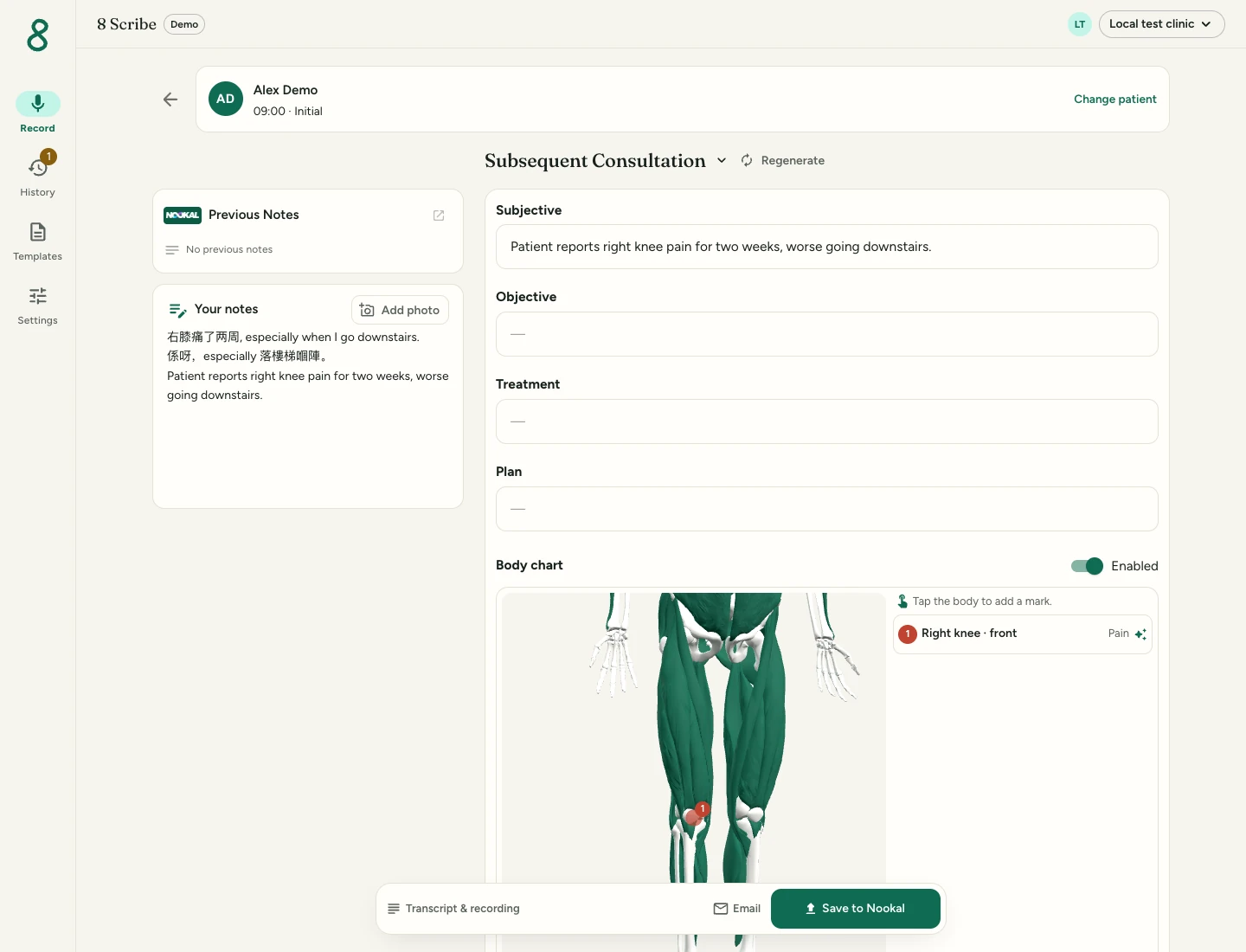
Start with your patient and template
Choose the patient from your diary or search, check the case and select your usual template. Your clinic keeps the headings it already uses. Previous Notes is there when you want to read earlier entries.
For this fictional example, the patient says, “右膝痛了两周, especially when I go downstairs.” They add in Cantonese, “係呀,especially 落樓梯嗰陣。” The report is right knee pain for two weeks, worse downstairs.
You can add your own notes alongside the recording. Start recording, continue the consultation, then choose Finish to prepare the draft.
Review the English draft in familiar headings
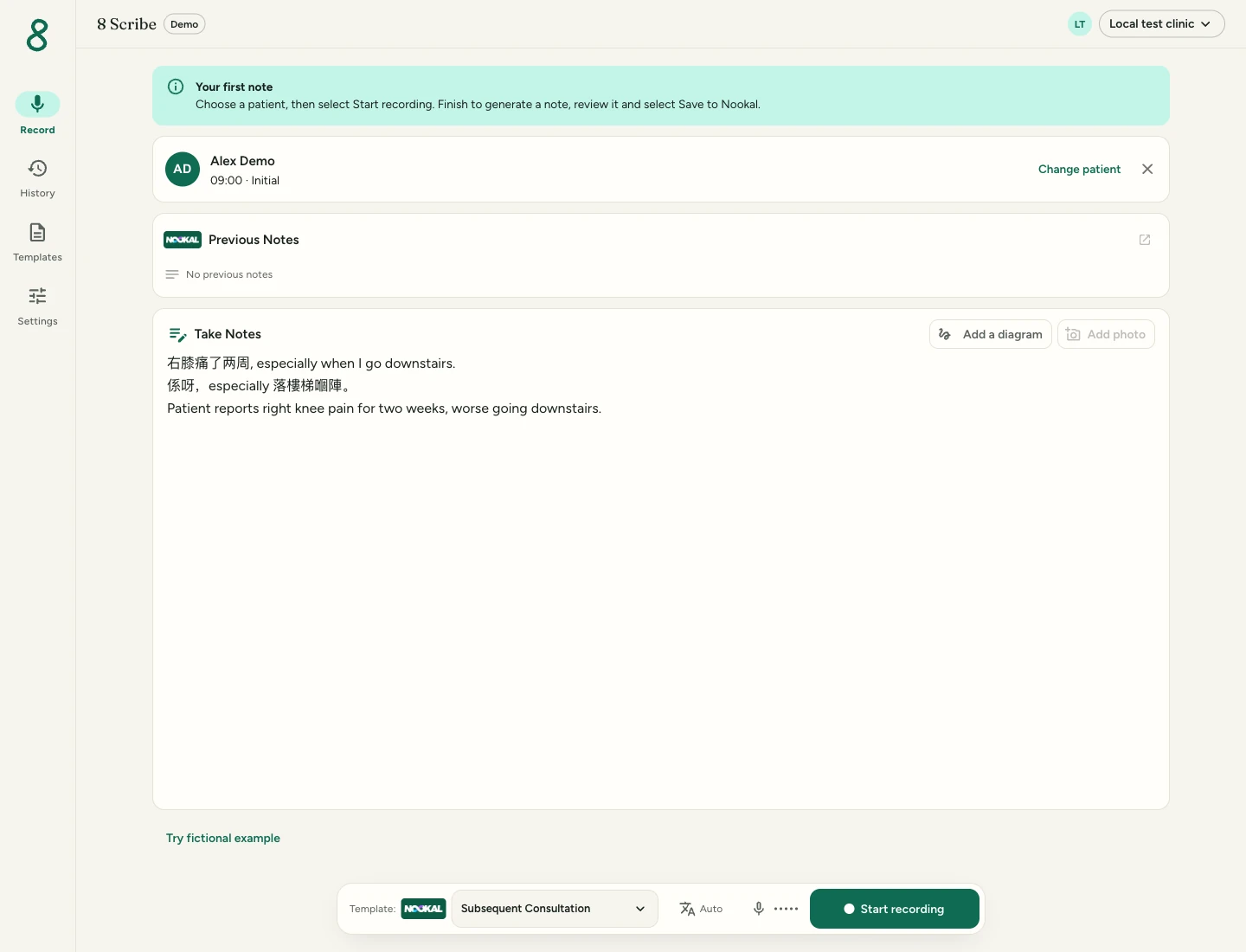
The draft follows the selected template and its writing instructions. Edit the fields directly, without moving the text into a separate document.
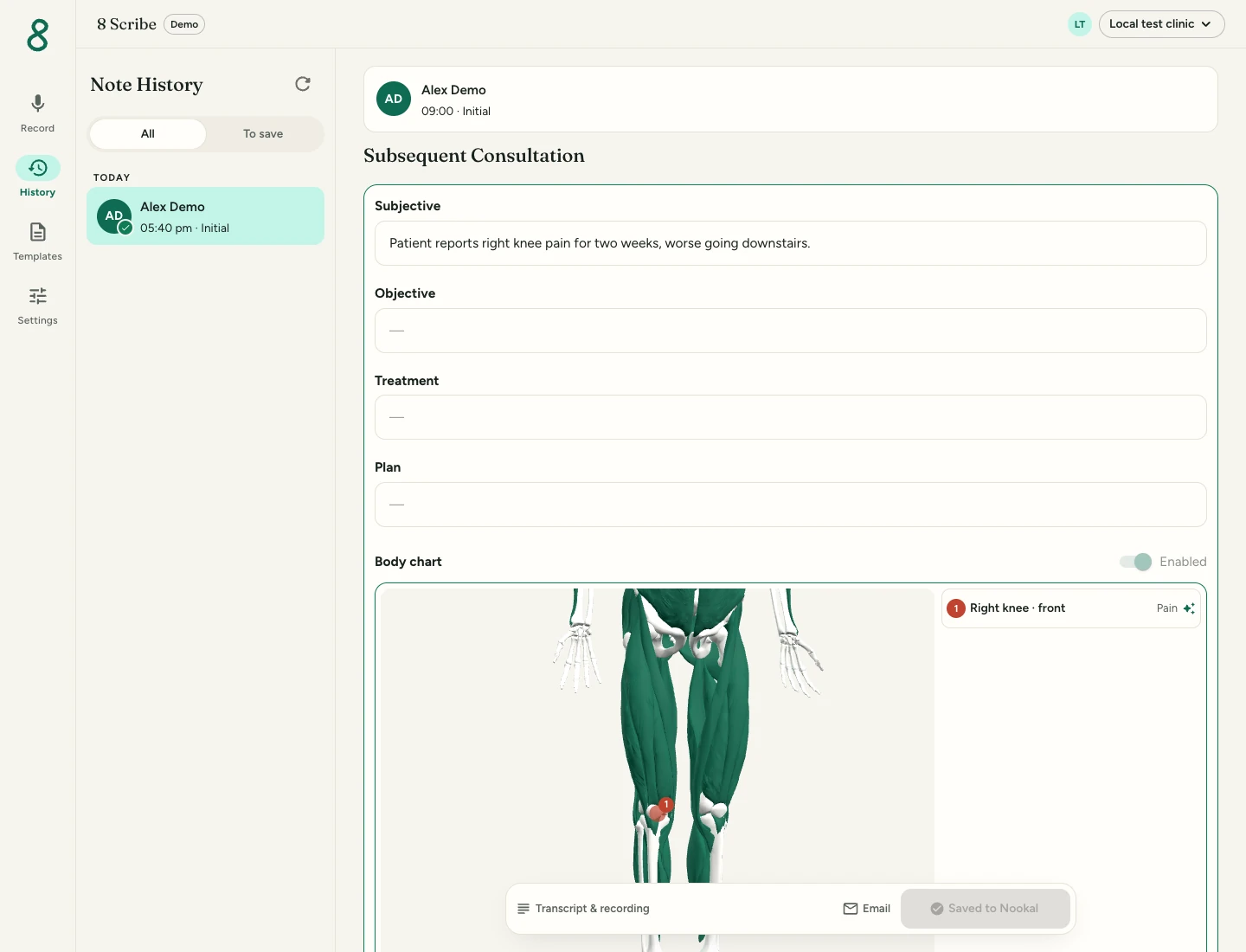
In this sample, Subjective reads: “Patient reports right knee pain for two weeks, worse going downstairs.” Check the side, duration and aggravating activity against the consultation.
This example contains only a symptom report, so the examination and treatment fields stay empty. The prepared sample demonstrates the interface; it is not a transcription accuracy benchmark.
Check the body chart alongside the note
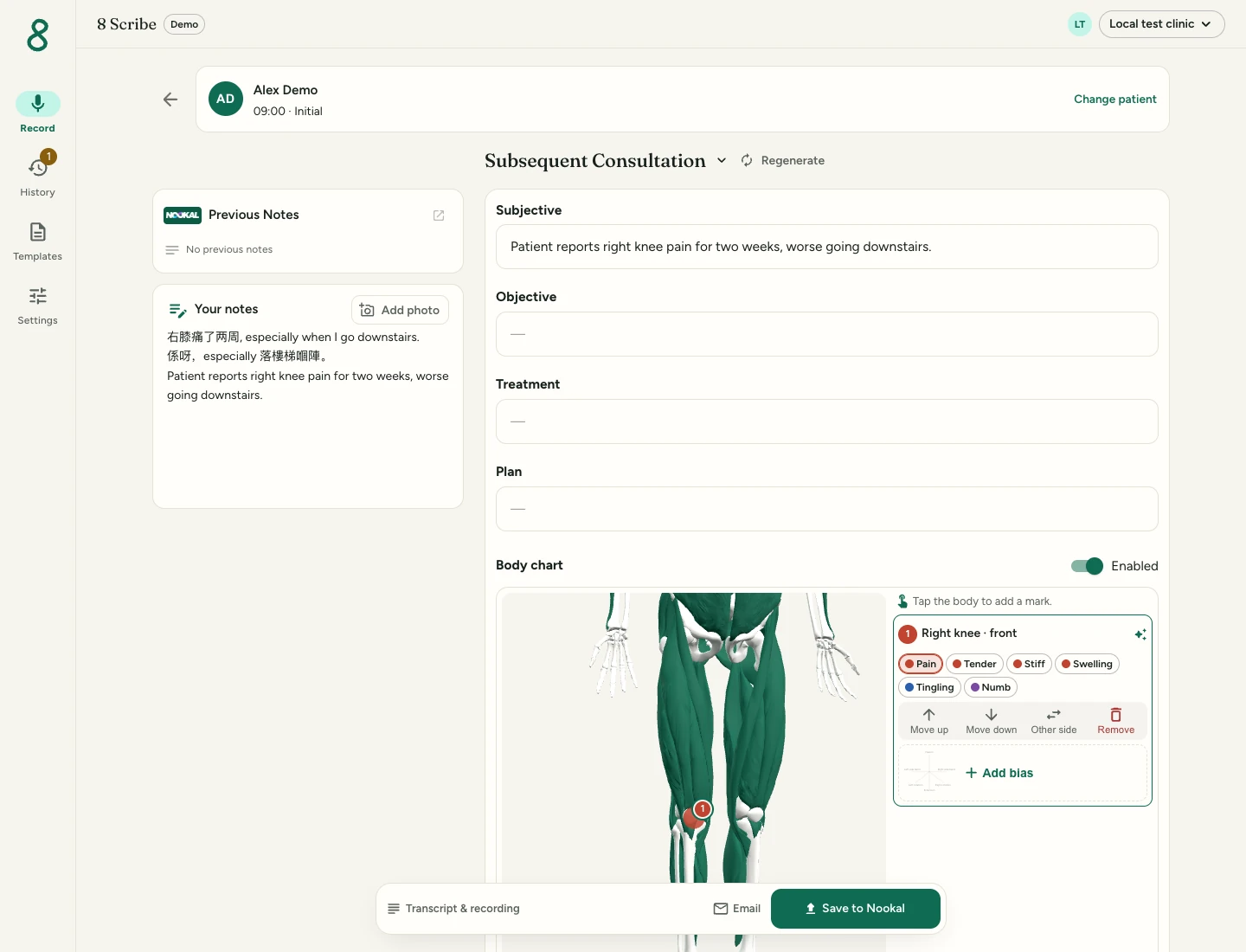
8 Scribe suggests symptom areas from the consultation. Rotate the body and check the location against the written draft. Select a mark to adjust its position, side or symptom, or remove it.
Here, the chart shows a right-knee pain mark. The note and chart are reviewed together before saving; the chart records the reported symptoms.
File, then find it in History
Check the patient and choose Save to Nookal or Save to Cliniko. In a connected clinic, the reviewed note goes into the selected patient record using your synced template. An included body chart is saved to the patient’s files.
Open History to find the consultation and its filing status. The screenshot below shows that state in the local test clinic, where the filing step is simulated and no production patient record is changed.
Try your clinic’s own template
Open 8 Scribe on your phone or laptop and try a fictional consultation in your usual template. Review the note and chart, then check where the saved record lands in your connected practice system.