 About us
 Privacy policy
 Time & cost calculator
Features
Everything 8 Scribe does after you press record
Record the consultation on your phone or laptop. 8 Scribe writes the note in your template, draws the chart and files both to Nookal or Cliniko.
Notes in your own template.
8 Scribe writes the note heading by heading in your existing Nookal or Cliniko template. Give each heading its own writing instruction and it follows it in every note.
Mixed languages, one English note.
Patients can switch between English, Mandarin or more mid-sentence. 8 Scribe writes one English note in your template.
Consultation speech
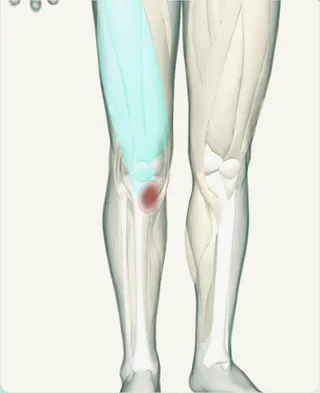
My right knee has hurt for two weeks, especially going downstairs.
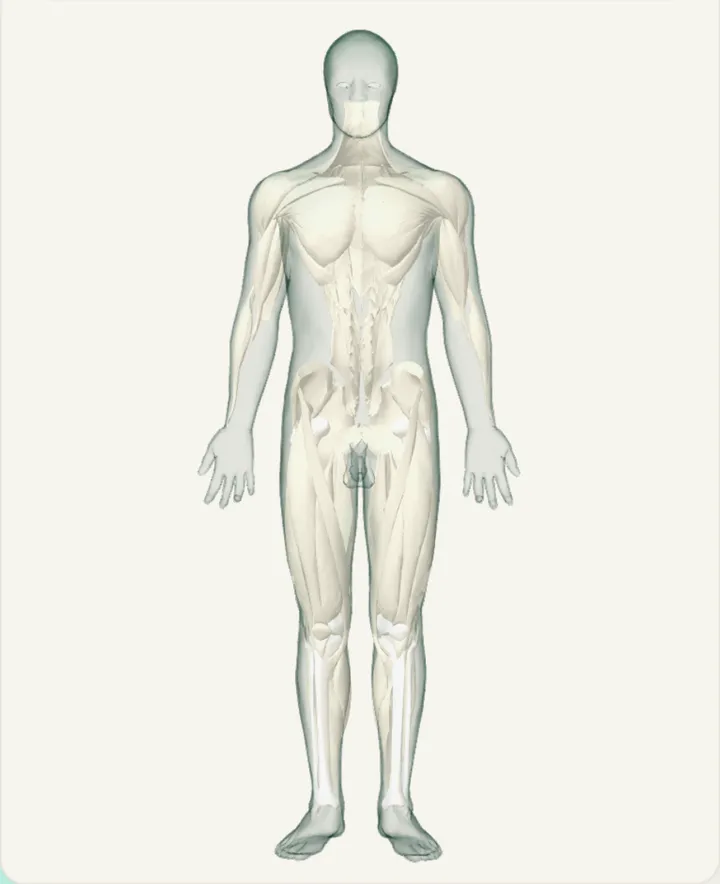
Body and hand charts.
Pain, tingling and numbness are marked on a 3D body from what was said in the consultation. Switch to the left or right hand, palm or back, for finger, thumb and wrist detail. The chart is saved with the note to the patient’s files.
No more writing up notes by hand.
Press Finish and 8 Scribe keeps listening. Say the treatment, exercises and plan before the next patient walks in, then select Write note. It all goes into the same note, ready to file.
Let AI handle the admin.
Ask the AI chat add-on in plain words, typed or spoken: “use clinical shorthand”, “add ice twice daily to the plan”, “L low back pain” on the body chart. Each change shows the exact words and applies in one click.
It works with your Nookal or Cliniko: ask who’s next today or what you did last visit, or add a new patient, without leaving the note.
File to Nookal or Cliniko in one click.
Save the finished note to the selected patient, straight into your template fields. For other practice systems, copy the note in.
Shared records for your clinic.
Every filed note includes a link back to 8 Scribe. Clinicians in your clinic open it to see the note, body chart and photos, read-only. Audio and transcripts are not shared, and clinic admins can turn sharing off.
Phone and laptop, no install.
Record on your phone and finish on your laptop. Unsaved notes wait in History until you file them, so nothing is left at the end of the day.
Add-ons that follow your profession.
Turn the body chart, hand chart and AI chat on or off in Add-ons. Physiotherapists start with the body chart; occupational and hand therapists start with body and hand charts.
Common questions
Can I add the treatment after the patient leaves?
Yes. Press Finish and keep talking. Select Write note when you’re done, and it all goes into the same note.
Does 8 Scribe chart hands?
Yes. The 3D body chart switches to the left or right hand, palm or back, with marks on the finger, thumb or wrist. It is on by default for occupational and hand therapists.
Can I change a note by voice?
Yes. Turn on the AI chat add-on, then type or say what to change. Each change shows the exact words and applies in one click.
Can colleagues see a filed note?
Yes. Clinicians in your clinic open the link in the filed note to see the note, body chart and photos, read-only. Clinic admins can turn sharing off.